重 Jubako

Jubako

· joo-bah-koh

noun Lacquered boxes that stack into one. One file, several tables.

Microsoft Access, without the hard parts.

Spreadsheet chaos?

orders_FINAL_v7.xlsx or orders (2).csv? Which one is right?

Put them in one box. Make a database, put a spreadsheet in it, look at your rows, print a tidy list. No SQL to learn, no server to set up, no account to make.

一Bring your spreadsheets

Drop a CSV or Excel file on the window. Jubako works out each column (words, whole numbers, decimals, dates, yes/no) and shows you its guesses before anything is written. A workbook with several sheets can become one table per sheet.
二One box. Many tiers.

A database is one .jubadb file: copy it, back it up, email it. It's ordinary SQLite, so nothing is locked away. Already run PostgreSQL or MySQL? Point Jubako there instead.

四Change your mind

Add a field, rename one, delete one. Delete a table or the whole file. The destructive ones ask first.

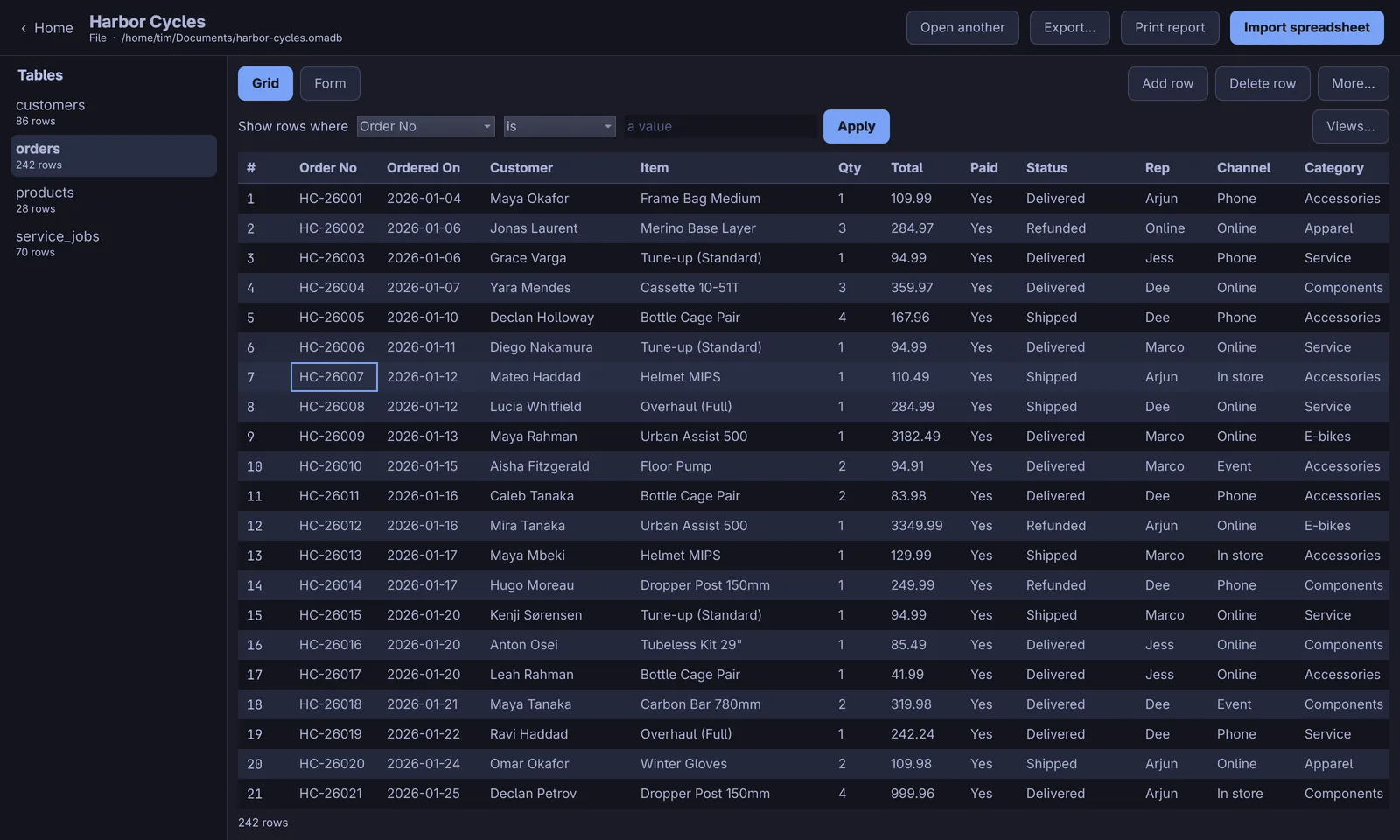
The orders table of a demo bike-shop database in the Jubako grid

三Browse. Edit.

A grid of everything in a table. Tap a row to pick it, double-tap a cell to change it.

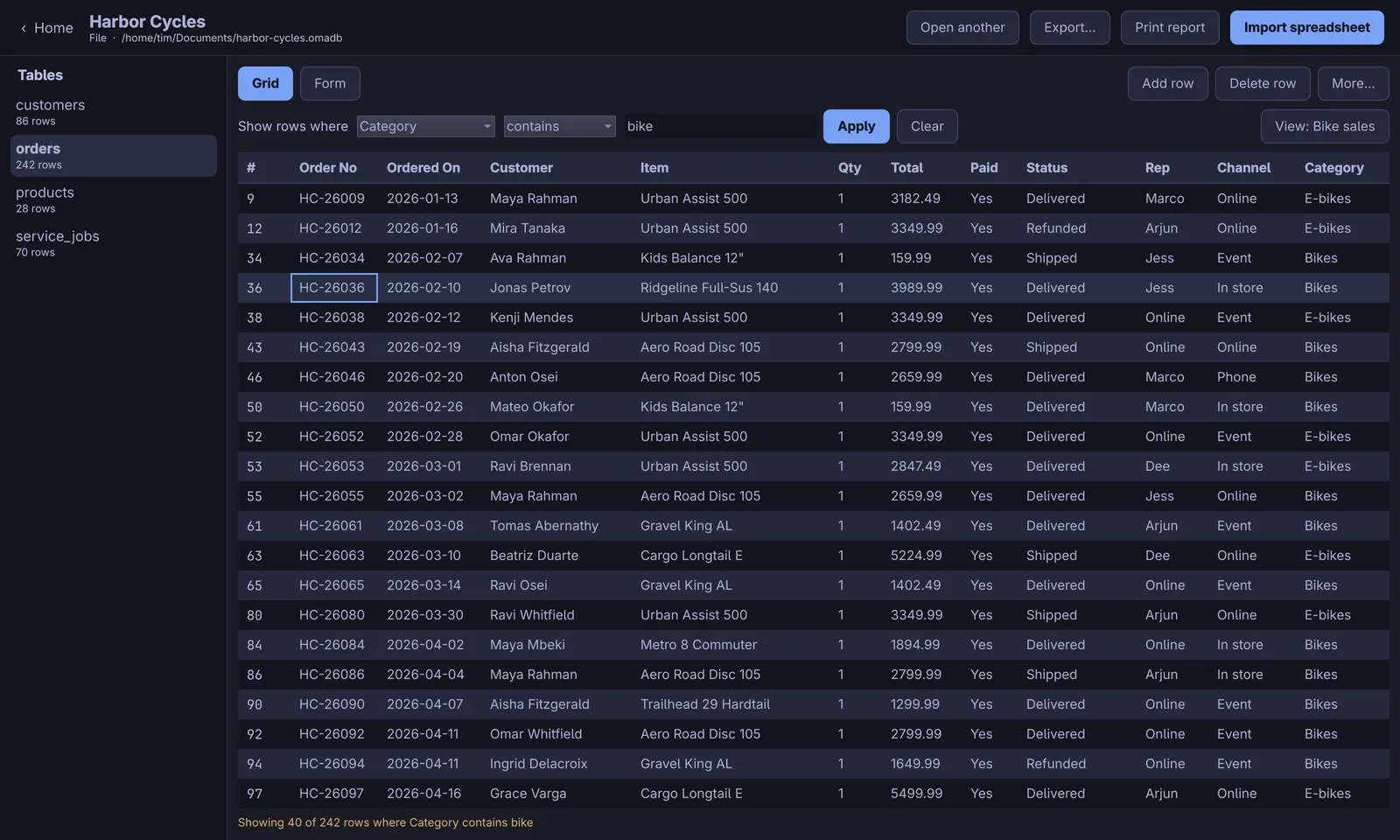
A saved view showing only bike sales

五Save it as a view

“Show rows where Category contains bike” hides the rest. Save a rule you keep using, like “Still here”, and it lives inside the database file.

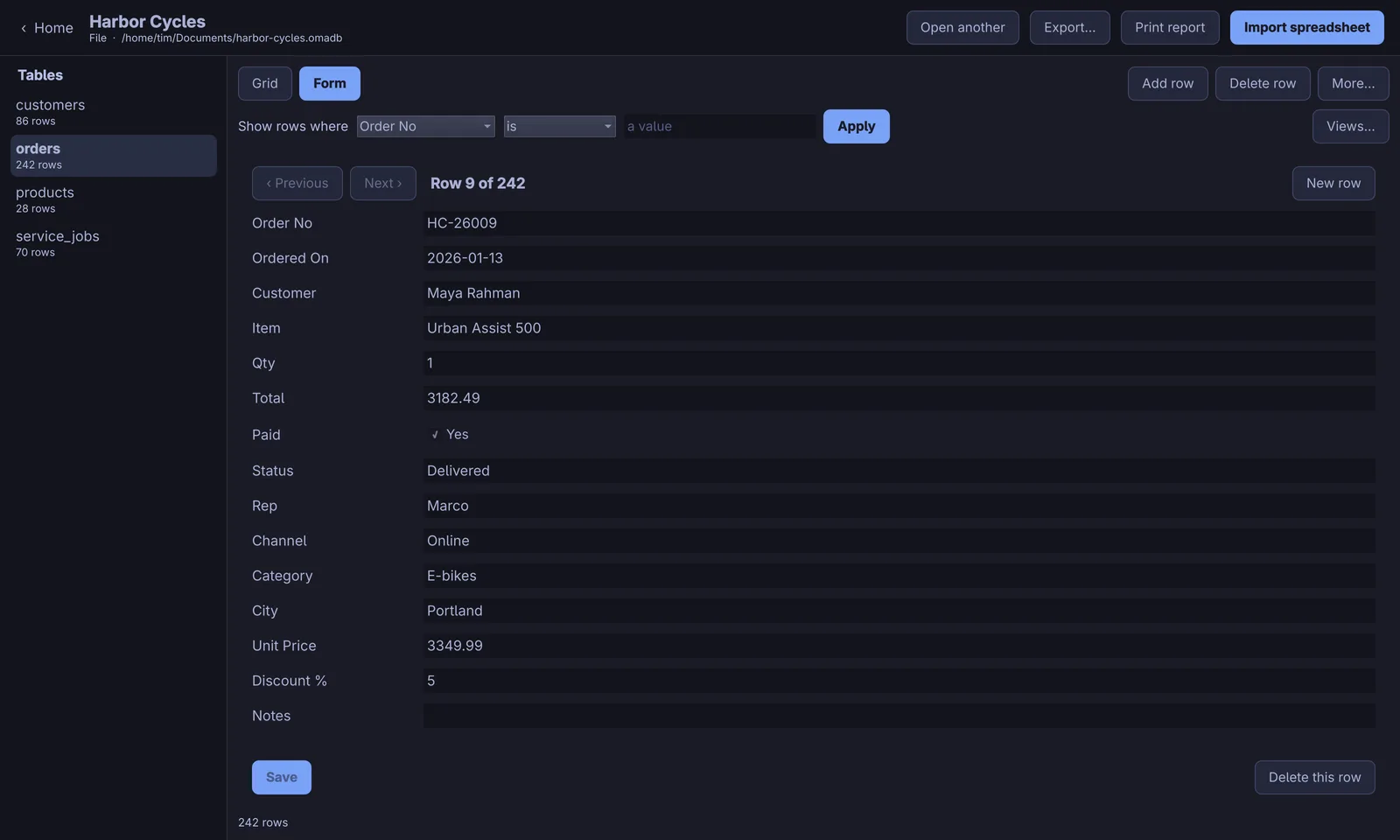
One order in the form view

六One record at a time

A form for every table. Previous, Next, Save, New row.

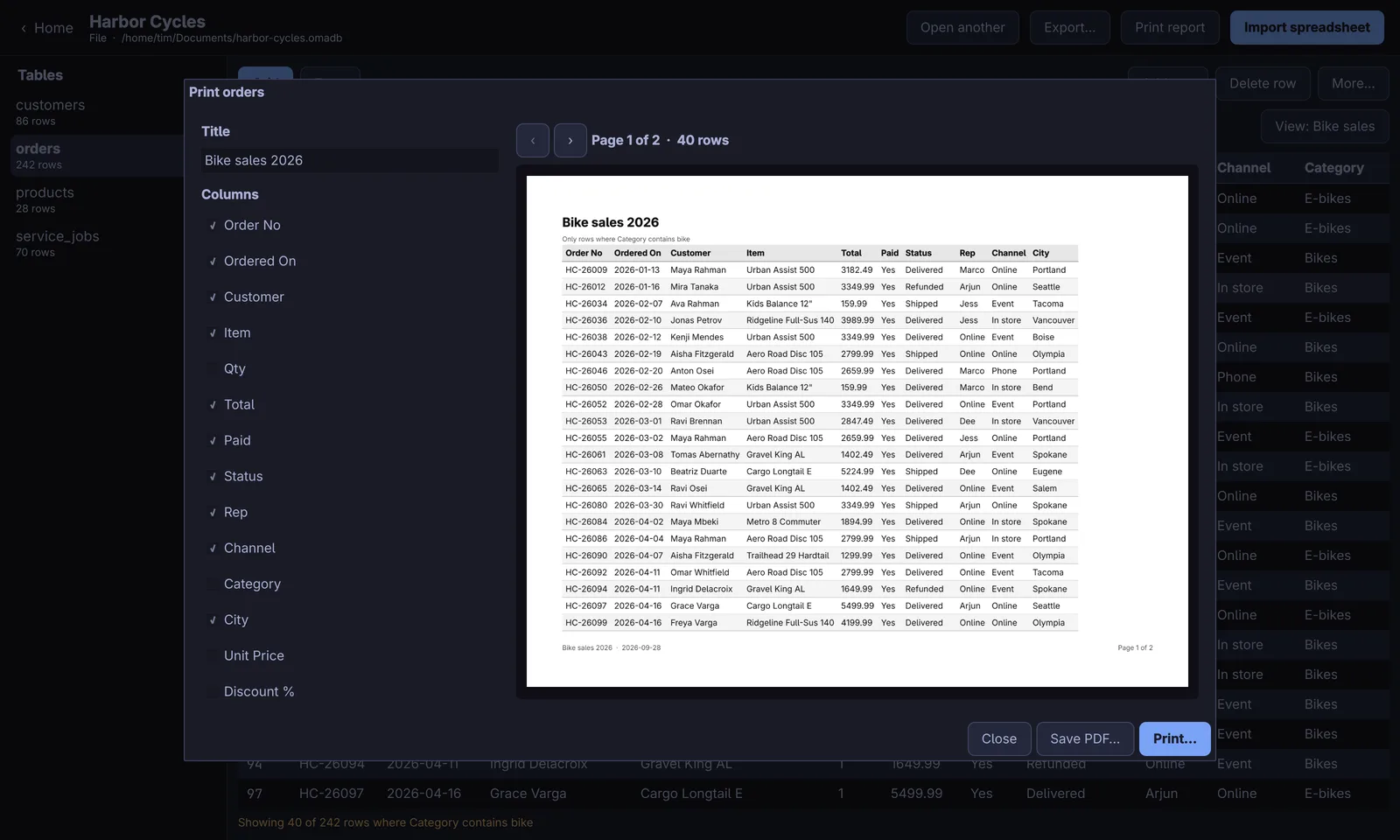
The report designer with a landscape preview

七Reports that fit the page

Pick the columns, a title, the page size. Columns shrink and wrap so the whole table fits. One layout paints the preview, the PDF and the printer, so what you see is what prints. Export to CSV, Excel or PDF.

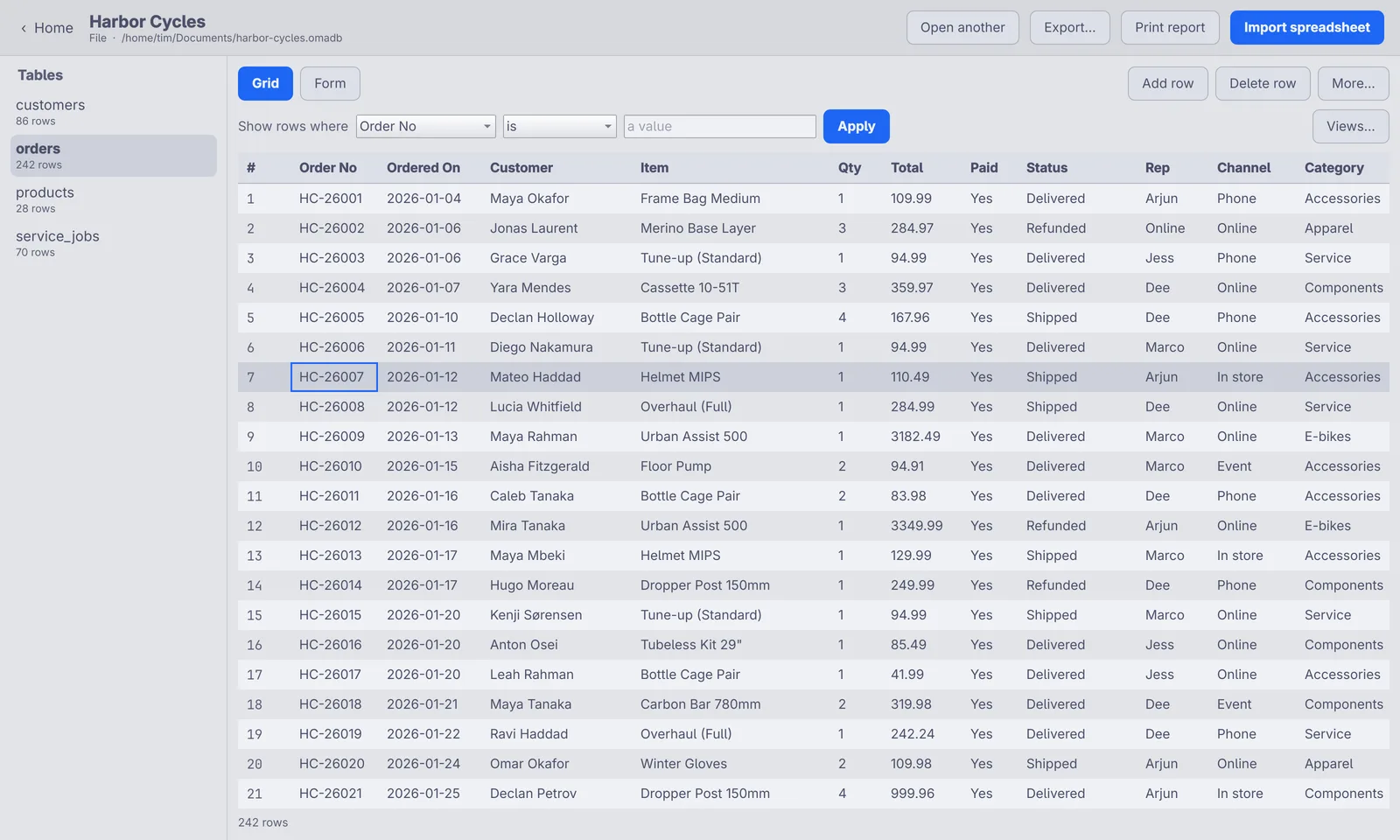
The grid in a light Omarchy theme

八Wears your theme

Jubako reads your Omarchy theme and follows it, dark or light, with your accent colour. Change theme and the open window changes with it.

九Let your agents in

An MCP server and a command line do the same jobs as the window, so “turn this spreadsheet into a database” just works from Claude Code or any MCP client.

Install

Packages for Arch and Omarchy, Debian and Ubuntu, and Fedora. They use your distro's Python and Qt, and put Jubako in your app launcher.

Arch · Omarchy

sudo pacman -U jubako-0.2.0-1-any.pkg.tar.zst
Download .pkg.tar.zst

Debian 13+ · Ubuntu 26.04+

sudo apt install ./jubako_0.2.0-1_all.deb
Download .deb

Fedora 44+

sudo dnf install ./jubako-0.2.0-1.noarch.rpm
Download .rpm

Checksums and release notes are on the latest release. To run from source, see the README.